

The easiest fix is to keep the light from hitting your screen straight on. A small change in angle, lower screen brightness, and the right eye protection can make desk use much more comfortable.
Does your monitor turn into a red mirror as soon as your panel switches on, making it harder to read, focus, or relax? This is usually easy to improve with positioning alone. Glare gets worse when bright light hits glass head-on and bounces back into your eyes, so a few setup changes can let you keep your routine without fighting your screen.
Why monitor glare happens during red light therapy
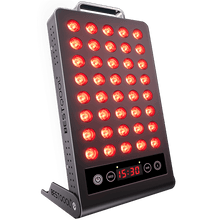
Red light therapy devices are bright by design. They are often used from about 6 to 24 inches away for several minutes at a time, depending on the device and the goal, with red light therapy devices commonly used for the face, scalp, and body. When that bright output hits a glossy monitor, laptop screen, or glass desk, part of the light reflects back toward your eyes.
That reflection is more than annoying. Glare reduces visual clarity and increases discomfort, much like headlight glare at night. In real home setups, the worst reflections usually happen when a panel sits directly behind you, directly beside the monitor, or at face height across the desk.
There is also a basic safety issue. Medical guidance commonly warns against shining strong light directly into the eyes and often recommends eye protection when appropriate. A monitor reflection is not the same as staring into the panel, but it can still make a session uncomfortable and lead to squinting, leaning forward, or constant readjustment.
The most effective fix is changing the angle

The fastest improvement usually comes from geometry, not new gear. If the panel is aimed so the light strikes your monitor head-on, the screen acts like a reflector. If you rotate the panel slightly, tilt the monitor down a few degrees, or move either one off-axis, the reflected light no longer bounces straight back into your eyes.
A simple rule works well: if you can see the panel clearly mirrored in the screen, the angle is wrong. Shift the panel so it lights your skin without hitting the center of the display. Even moving the panel 1 to 2 ft to one side, or raising it so it points slightly downward at your chest instead of straight at your face and monitor, can make a major difference.
This matters because red light therapy is not a more-is-better treatment. Guidance on dosing often notes a biphasic response, meaning too little may do nothing and too much can reduce the benefit. That makes it reasonable to optimize the setup instead of forcing the brightest possible angle. If you need to work at your desk, it is usually better to place the panel slightly off-center and stay consistent than to use a perfect-on-paper position that causes constant glare and eye strain.
Screen changes that reduce reflected red light
Your monitor can either help or hurt. Glossy screens reflect more, while matte screens scatter reflections and are usually easier to use under strong ambient light. If replacing the monitor is not realistic, a matte anti-glare screen filter is often the next best option.
Lowering monitor brightness also helps because it reduces the contrast between reflected red light and the content on your screen. Many people find that lower brightness, a dark background, and larger text make the reflection less intrusive because they are no longer trying to read small, low-contrast details through a red haze.
A clean screen also matters. Smudges, dust, and oily film scatter light and make glare spread across the display, much like a dirty windshield worsens nighttime glare. If your monitor always seems foggy during sessions, clean it before changing anything else.
Safer ways to combine red light therapy with desk work
If your goal is skin support, hair support, or a quick recovery session while you answer email, match the device position to the area being treated. Red light therapy is commonly used for 10 to 20 minutes per area several times per week, so the setup needs to be sustainable, not merely tolerable.
For facial use, the easiest approach is often to avoid screen use during the brightest part of the session. This is especially true with masks or panels near eye level. Safety guidance often recommends eye protection when indicated and cautions against direct eye exposure. In practice, if the treatment is aimed at your face, trying to work through glare is usually the wrong tradeoff.
For chest, shoulder, arm, or leg sessions, desk use is more manageable. Place the panel lower than the monitor, angle it toward the treatment area, and sit so the screen stays outside the brightest beam path. If the panel is on a stand, turn it 15 to 30 degrees away from the monitor until the reflection disappears. Wearable or flexible devices usually create less monitor glare because the light is more contained.
A simple setup that works in real rooms
A practical desk setup is straightforward: keep the monitor directly in front of you, place the panel off to one side at about chest height, and aim the beam at the treatment area rather than at the screen. Keep the device within the manufacturer’s recommended distance, which many consumer guides place in the 6- to 24-inch range depending on power and design.
If you wear glasses, anti-reflective lenses can make the experience easier because they reduce extra reflections and halos between the screen, the room, and your eyes. That does not replace goggles when your device calls for them, but it can reduce the layered glare some people notice when using a computer during treatment.
Dry eyes can also make glare feel worse. The reflection itself may not be dangerous, but irritated eyes tend to react more strongly to bright, scattered light. If your eyes burn, sting, or water during sessions, address that problem instead of assuming the panel is the only issue.
What helps most, and what the tradeoffs are
Approach |
Main benefit |
Main downside |
Usually gives the biggest improvement at no cost |
May take a few tries to keep good skin exposure |
|
Matte screen filter |
Cuts reflections quickly |
Slightly softens screen sharpness |
Lower screen brightness |
Reduces eye strain fast |
Can make daytime work look less crisp |
Eye protection when appropriate |
Improves comfort and supports safety |
Not practical for active screen work |
Moving sessions away from work time |
Best for face-focused sessions |
Less convenient |
When it is better to stop using the screen during treatment
Sometimes prevention is not enough because the setup itself is the problem. If you are treating the face, scalp, or forehead with a strong panel or mask, if you squint through the whole session, or if you get headaches or ongoing eye discomfort, separate the session from computer use.
The evidence for red light therapy is still developing, and device performance varies widely. Safety appears more favorable when the light is not directed into the eyes, so the practical standard is comfort plus consistency. If your desk setup interferes with either one, change the routine instead of forcing it.
A glare-free setup usually comes down to a small angle change, a cleaner screen, and better eye comfort habits. If the reflection is still strong, treat first and work after. It is much easier to keep the routine when your monitor is no longer competing with the light.


 Small
Small

 Moderate

 Moderate

 Moderate

 Full
Full

